Goal
Add your fonts to Pulse-IT/Automate-IT forms and change the system default font.
Procedure
Make sure a share folder is mounted on the Pulse-IT/Automate-IT container by editing the compose-local.yml
ex:
nano compose-local.yml

version: '3.8'
services:
  app:
    volumes:
    - /mnt/share_pit_cmo:/app/share_pit_cmo
Next, edit .local.env and add USER_FONTS_DIR=/path/to/folder/with/fonts
nano .local.env

USER_FONTS_DIR=/app/share_pit_cmo/fonts
Add .ttf or .otf files in the folder

Restart the app
./embrace-app.sh --restart
The new fonts are available in the User preferences Menu...

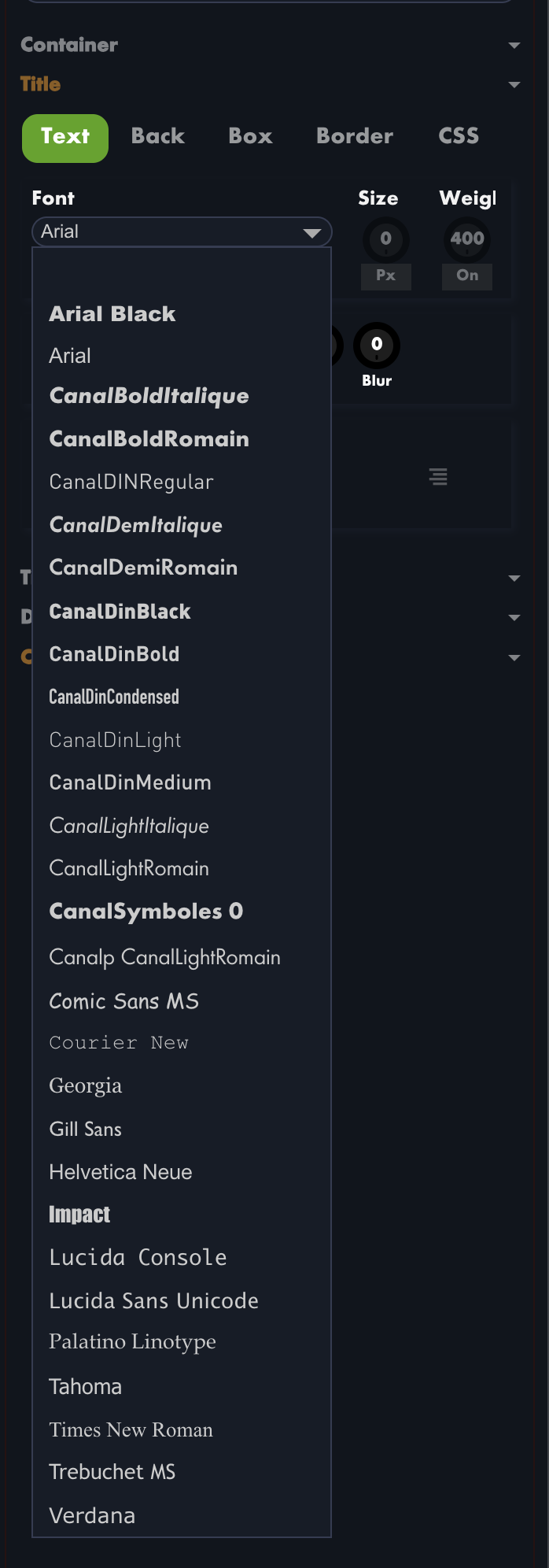
... and inside the forms designer
Was this article helpful?
That’s Great!
Thank you for your feedback
Sorry! We couldn't be helpful
Thank you for your feedback
Feedback sent
We appreciate your effort and will try to fix the article