General App configuration
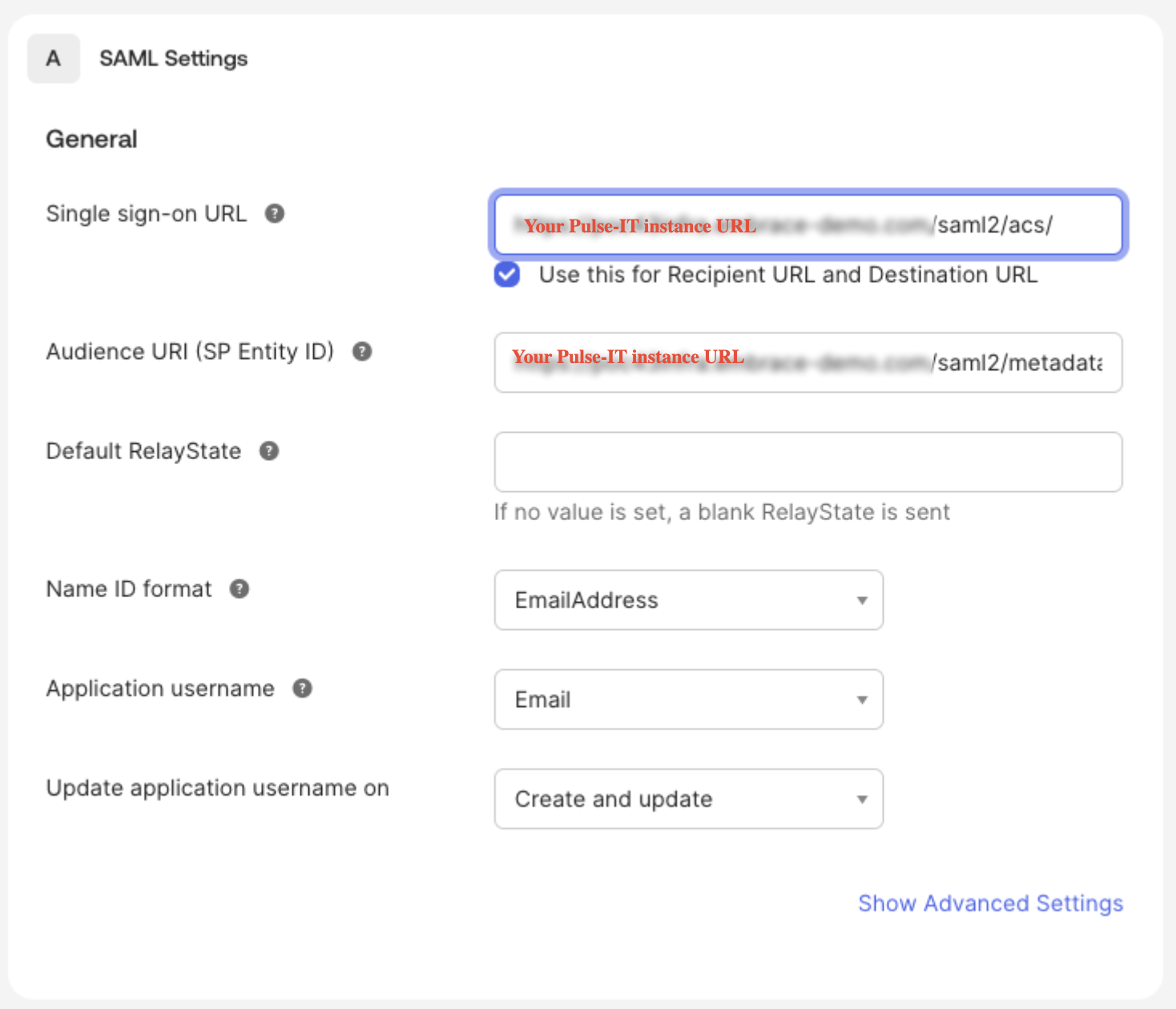
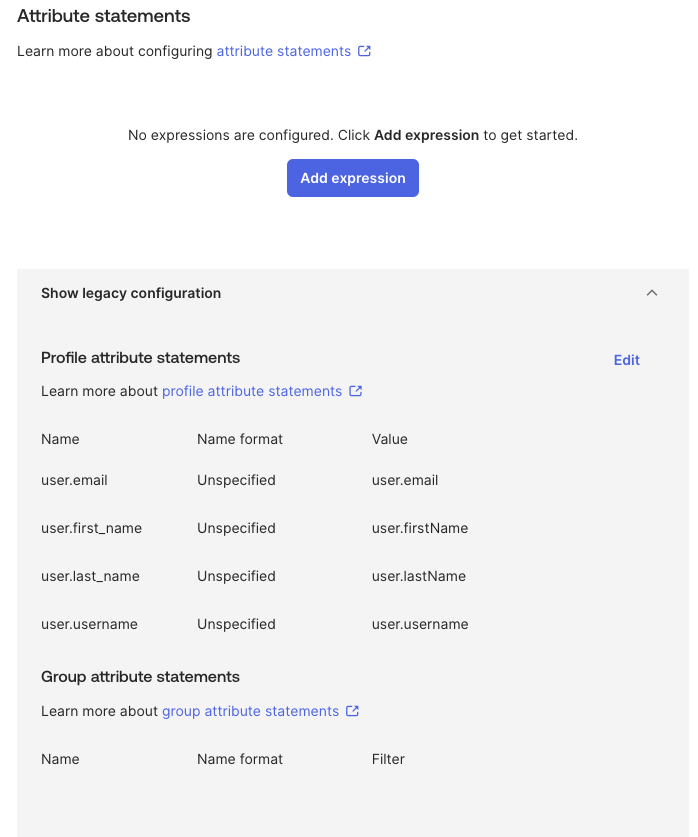
Here are the settings required to configure Pulse-IT with Okta using SAML.
Application > Application name >General > SAML Settings
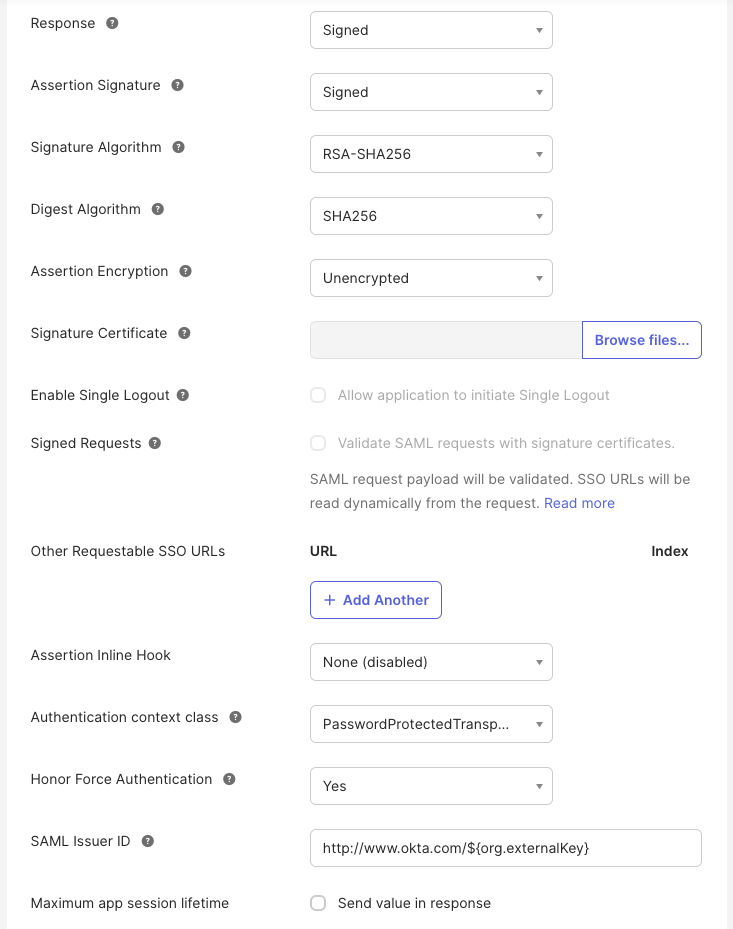
Application > Application name > Sign on > Attribute statements > Show legacy configuration
Was this article helpful?
That’s Great!
Thank you for your feedback
Sorry! We couldn't be helpful
Thank you for your feedback
Feedback sent
We appreciate your effort and will try to fix the article